FaceMask
I made FaceMask because I kept running into the same small problem: I wanted to share a photo, but I did not want to share everything inside the photo.
Sometimes that means a kid’s face. Sometimes it means metadata. Sometimes it is both. I wanted a simple Mac app that could open one photo, cover what needed covering, strip what needed stripping, and export a clean copy without making the whole thing feel like a project.
FaceMask is that app.

Cover faces quickly
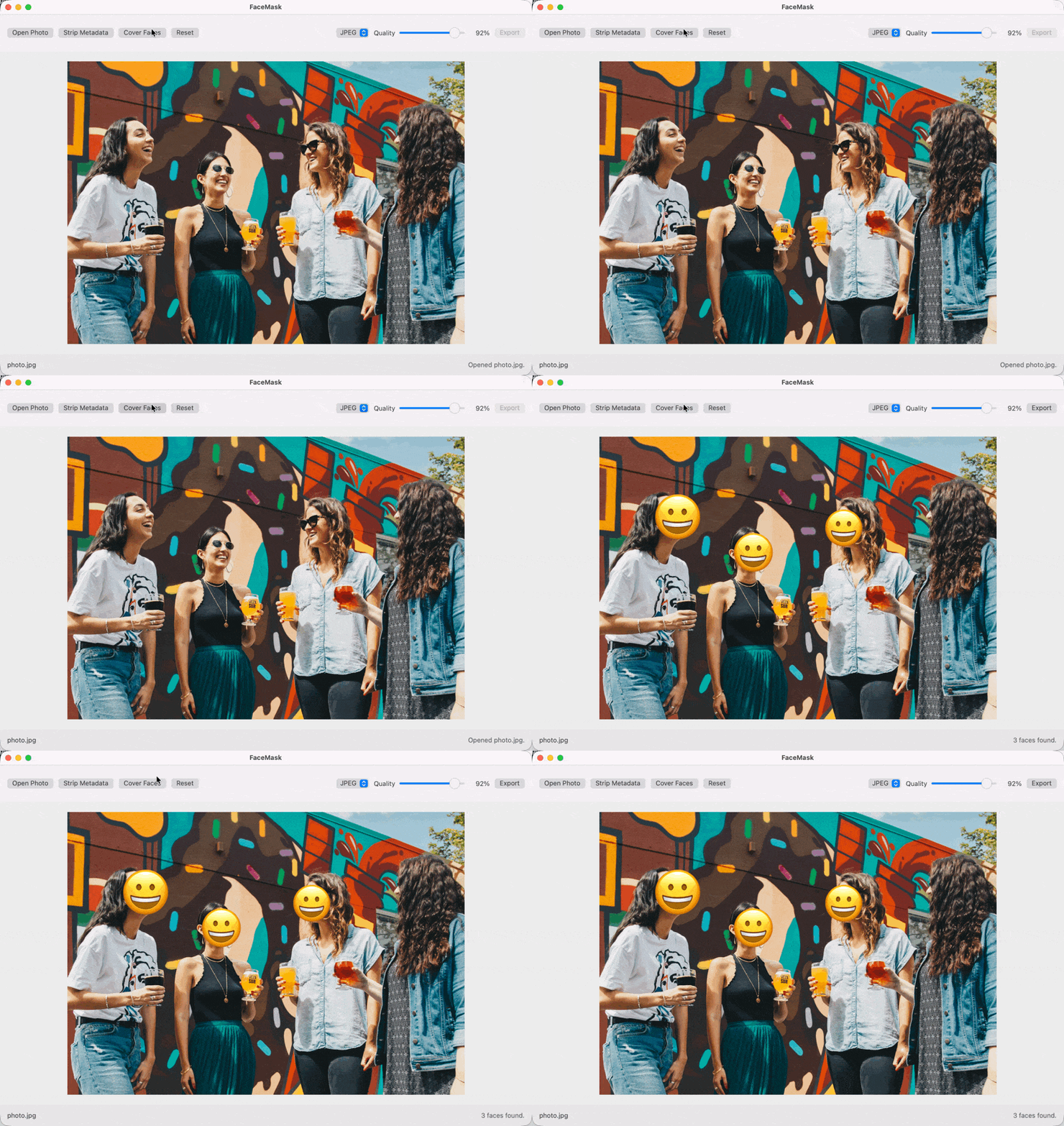
Open a photo, click Cover Faces, and FaceMask uses Apple’s local Vision tools to find faces on your Mac. Nothing is uploaded. Nothing leaves your computer. The app drops emoji covers over the faces it finds, and you can move, resize, replace, or remove each one.
If a face is missed, click the photo and add a cover yourself. It is not trying to be a full photo editor. It is trying to make the safer version of a photo easy enough that you will actually do it.
Strip metadata without thinking too hard
Photos carry more than pixels. Depending on the file, they can include location, camera details, dates, software tags, and other bits you may not want to send along with the image.
FaceMask lets you choose which metadata categories to remove before export. The recommended privacy choices are selected by default, while things like orientation and color profile are left alone so the exported image still looks right.
Your original stays untouched
FaceMask exports a new flat image with the emoji covers rendered into the pixels. Your original photo is never changed.
You can export as JPEG, PNG, or HEIC, choose the JPEG quality, and keep your last export choices so the next cleanup is faster. If you try to open another photo or quit before exporting, FaceMask warns you first.
Built for one job
This is a small Mac utility on purpose. One photo at a time. No library. No account. No cloud sync. No subscription. Just a quick way to clean up a photo before you post it, send it, or save a safer copy.
FaceMask requires macOS 15 or newer.
Questions or trouble? Reach out and I will help.